The first neural bass instrument. Describe it, reference it, or let it write the bassline for your track.
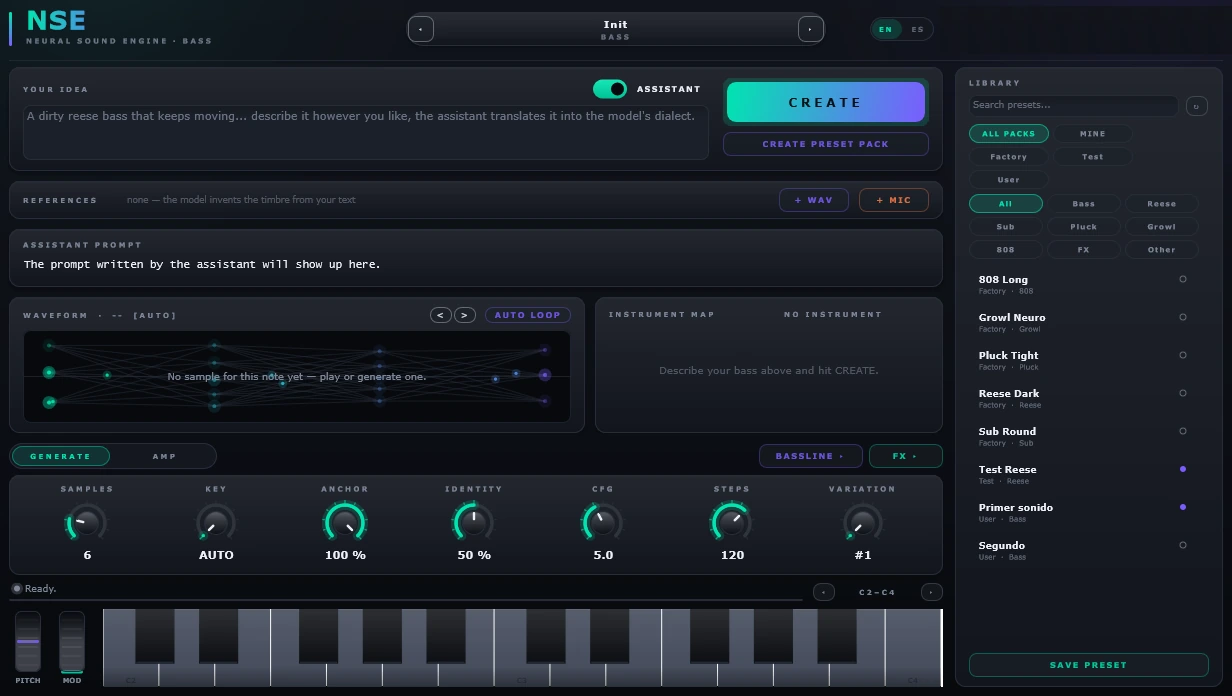
This is the instrument running in the page — same idea, fewer knobs. Pick what goes in, generate, and play it with your mouse or your keyboard.
wide detuned reese, dark, moving
Turn both on to fuse them.
You can start from nothing but a sentence, from a sound you already like, or from the track you’re working on. They combine.
The assistant turns your words into the model's own dialect, and the model generates the sound from noise. Two octaves of samples, mapped across the keyboard.
Latent diffusion. 25 samples in about 30 seconds.
Drop in a clip and it takes the colour, not the notes. You set how much to copy of each thing: timbre, movement, attack — per reference, so two clips can each give you a different half.
Cross-attention on the identity, not a sample swap.
Feed it the passage of your track. It reads the key, the chords and where the kick lands, and writes a bassline that fits in the holes the drums leave.
MIDI out, dragged straight into your DAW.
No hopping between screens: the prompt, the references, the instrument map and the waveform are all in view at once. Tap the dots to see what each area does.
The prompt is printed above each sound, and you can hear it on its own or sitting in a mix — a bass that sounds good alone and disappears in a track isn’t a good bass.
No bass at all, then the line Sylph wrote and played for it. Nothing else in the mix changed.
“aggressive growl with metallic formants”
“tight talking bass, short and mean”
“deep round sub, slow wobble, almost clean”
“punchy plucked bass with a quick decay”
“long 808 with a pitch slide and saturation”
“wide detuned reese, dark, moving”
“metallic neuro growl, aggressive formant sweep”
“warm analogue bass, soft attack, rounded top”
Including the row where a normal synth wins, because you’d find out in the first five minutes anyway.
| Sylph | A synth | |
|---|---|---|
| Start from a descriptionA sentence becomes a playable instrument. | Yes | No |
| Clone a timbre from a referenceSampling copies the recording; this takes the character. | Yes | No |
| Write the line for your trackReads key, chords and drums, and writes MIDI. | Yes | No |
| Filter, drive, LFO, envelopeSame tools on top. Nothing exotic here. | Yes | Yes |
| Sound changes the instant you turn a knobThis is the real trade-off: generating takes seconds, so the timbre isn't live. Filter and LFO are. | No | Yes |
| Works with no internetGenerating needs the connection. Sounds already generated live in your project and play offline, forever. | Partly | Yes |
Nothing to install but the plugin. Cancel anytime — and every sound you already generated stays in your projects and keeps playing.
To hear what it does
For actually making records
Heavy use, early access
An “instrument” is one generation: two octaves of samples mapped across the keyboard. Auditioning takes before you commit doesn’t count against it.
A DAW that loads VST3 or AU, on Windows 10+ or macOS 12+. Tested in Ableton, FL Studio, Logic, Reaper and Bitwig. No GPU on your side — the generating happens on ours.